How to Host a Barotrauma Dedicated Server on Linux
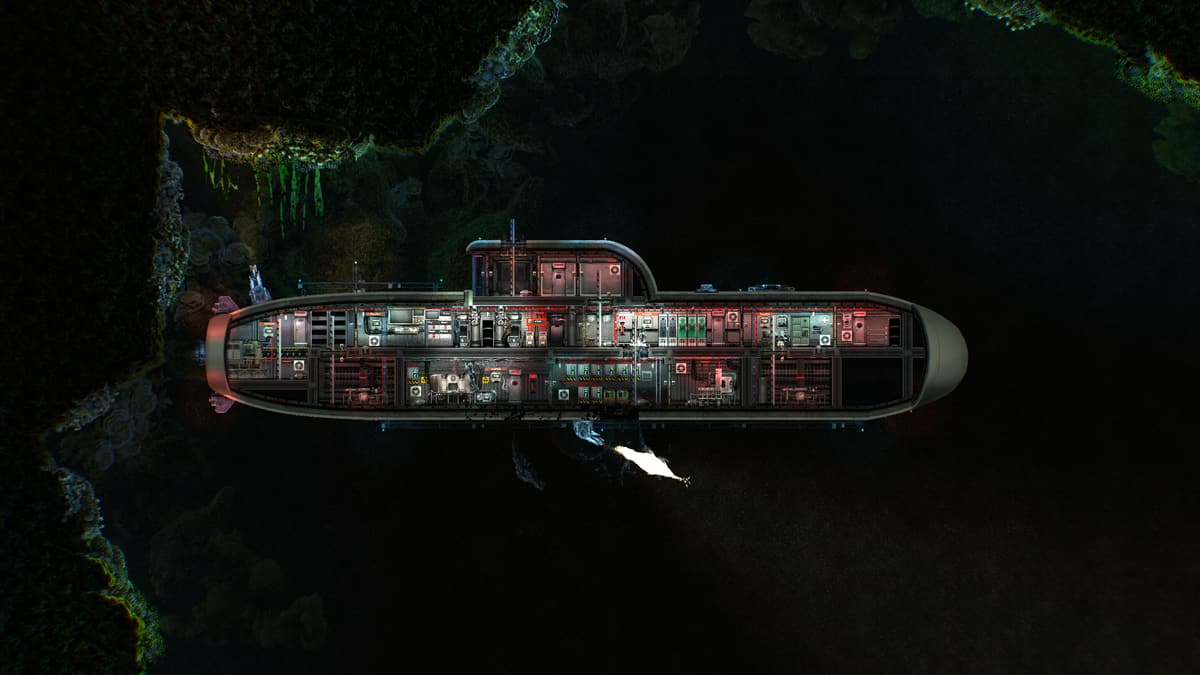
A Barotrauma dedicated server keeps one lobby and its multiplayer campaigns available without the player who originally hosted them. The official package has a native Linux build and accepts anonymous SteamCMD downloads. The parts worth planning are the two UDP ports, the split between runtime and campaign data, content-package paths, and a shutdown policy that respects how the campaign saves.
Skip the Linux setup with managed Barotrauma hosting, Workshop mods and a writable consoleWhat the server needs
Use an x86-64 Ubuntu 24.04 machine with a stable public connection. Four gigabytes is a conservative starting allocation for a normal vanilla crew, with more room for a large group or Workshop set. Keep additional memory for Linux and SteamCMD.
The dedicated-server app is 1026340. It uses two UDP ports: the player port, normally 27015, and the query port, normally 27016. Both must be allowed through the host firewall and forwarded through a router if the machine is at home. Opening TCP on those numbers does not prove the UDP path works.
1. Install SteamCMD and a service user
sudo dpkg --add-architecture i386
sudo add-apt-repository multiverse
sudo apt-get update
sudo apt-get install -y steamcmd python3
sudo adduser --disabled-password --gecos "" barotrauma
sudo install -d -o barotrauma -g barotrauma   /srv/barotrauma/runtime /srv/barotrauma/data
Run the game under its own unprivileged account. The runtime is replaceable. The data directory is not, so backups and updates become much easier when the two do not overlap.
2. Download the official native Linux server
sudo -u barotrauma /usr/games/steamcmd   +force_install_dir /srv/barotrauma/runtime   +login anonymous   +app_update 1026340 validate   +quit
sudo install -d -o barotrauma -g barotrauma /home/barotrauma/.steam/sdk64
sudo install -m 0644 -o barotrauma -g barotrauma /srv/barotrauma/runtime/linux64/steamclient.so /home/barotrauma/.steam/sdk64/steamclient.so
The executable is DedicatedServer. Do not use the full game client as the service process. Do not add SteamCMD's forced platform or bitness variables for this app: the current tool metadata selects its Linux depot without them, while the forced form can fail with Missing configuration. The Steam runtime copy is required for the public query socket. SteamCMD can recreate the game runtime, which is why campaign saves and downloaded content should live below a separate XDG data home.
3. Set the ports and basic identity
Barotrauma stores its broad server configuration in serversettings.xml in the runtime working directory. A practical minimal first launch can also put the identity and network values on the command line:
cd /srv/barotrauma/runtime
sudo -u barotrauma env XDG_DATA_HOME=/srv/barotrauma/data   ./DedicatedServer   -name "Europa Crew"   -port 27015   -queryport 27016   -public true   -password "choose-a-password"   -enableupnp false   -maxplayers 8
Wait for Server started in the console. Then check both local UDP listeners:
ss -Hlun 'sport = :27015'
ss -Hlun 'sport = :27016'
sudo ufw allow 27015:27016/udp
A listener proves the process bound locally. A real join from outside the host network proves the provider firewall, router and public forwarding as well.
4. Keep campaigns and Workshop data persistent
With the XDG data home above, Barotrauma writes its Linux data below:
/srv/barotrauma/data/Daedalic Entertainment GmbH/Barotrauma/Multiplayer campaign saves are in its Multiplayer folder. Workshop content belongs under WorkshopMods/Installed. Back up the complete data tree while the server is stopped rather than copying one campaign file from an unknown point in a write.
To move an existing campaign, stop the old host and the new service, copy the complete matching multiplayer save files into the destination Multiplayer folder, fix ownership and start the server. Keep the original until the crew has selected the campaign in the lobby and verified its submarine, characters and location.
5. Configure without replacing game-owned settings
The server writes a large serversettings.xml of its own. Treat it as stateful. Change only the attributes you deliberately manage and preserve unknown attributes and child elements. Replacing the file with a short template can erase lobby settings, campaign rules and future fields introduced by the game.
Useful owner-facing values include the server name and message, player cap, public listing, play style, voice chat, spectating, karma and traitor probability. Leave authentication enabled. Disable UPnP when the host already has explicit firewall and forwarding rules.
6. Enable Steam Workshop content packages
Barotrauma Workshop items belong to app 602960. SteamCMD can download an item with:
sudo -u barotrauma /usr/games/steamcmd +login anonymous +workshop_download_item 602960 WORKSHOP_ID validate +quitEach selected package must end up below the server data folder at WorkshopMods/Installed/WORKSHOP_ID with a valid filelist.xml. Enable it in runtime config_player.xml as a regular content package while keeping Content/ContentPackages/Vanilla.xml as the core package.
Add dependencies separately in the order the mod author recommends. Every player needs compatible content. Barotrauma can offer missing enabled packages to joining clients, but that does not turn two incompatible server mods into a working set. Make a campaign backup before removing a package that added content to the world.
7. Preserve a writable console under systemd
The current server notices redirected standard input and ignores it. A plain FIFO attached to stdin therefore looks plausible but does not provide a working console. Run it in a pseudoterminal and bridge the named pipe explicitly. The bridge must also answer the ANSI cursor-position query emitted before Barotrauma reads a command, or that command can be consumed as the terminal response.
#!/usr/bin/env python3
import errno, os, pty, select, sys

fifo, launch = sys.argv[1:3]
if not os.path.exists(fifo):
    os.mkfifo(fifo, 0o600)
fifo_fd = os.open(fifo, os.O_RDWR | os.O_NONBLOCK)
pid, master = pty.fork()
if pid == 0:
    os.execl(launch, launch)

while True:
    ready, _, _ = select.select([fifo_fd, master], [], [])
    if fifo_fd in ready:
        command = os.read(fifo_fd, 65536)
        if command:
            os.write(master, command)
    if master in ready:
        try:
            output = os.read(master, 65536)
        except OSError as error:
            if error.errno == errno.EIO:
                break
            raise
        queries = output.count(b"\x1b[6n")
        if queries:
            os.write(master, b"\x1b[1;1R" * queries)
        os.write(sys.stdout.fileno(), output)

_, status = os.waitpid(pid, 0)
raise SystemExit(os.waitstatus_to_exitcode(status))
Save that as console-pty.py, keep the tested game command in launch-server.sh, and start the bridge as python3 console-pty.py .console-input ./launch-server.sh. An administrator can then write commands such as say Maintenance in five minutes to the FIFO. Keep the FIFO owned by the service account and do not expose it as a public network console.
8. Stop gracefully, but understand the campaign boundary
Send quit through the live console and give the process time to exit before falling back to TERM. A small systemd unit can run the PTY bridge and use an ExecStop helper for that bounded wait:
[Unit]
Description=Barotrauma dedicated server
After=network-online.target
Wants=network-online.target

[Service]
Type=simple
User=barotrauma
Group=barotrauma
WorkingDirectory=/srv/barotrauma/runtime
Environment=XDG_DATA_HOME=/srv/barotrauma/data
ExecStart=/srv/barotrauma/runtime/run-server.sh
ExecStop=/srv/barotrauma/runtime/stop-server.sh $MAINPID
Restart=on-failure
RestartSec=10
KillMode=control-group
TimeoutStopSec=90
LimitNOFILE=1048576

[Install]
WantedBy=multi-user.target
A clean quit saves server settings and closes the networking backends. It does not invent a new campaign checkpoint halfway through an active mission. Apply settings, mods and updates from the lobby or after the campaign has completed an in-game save transition, such as reaching an outpost. A timed daily restart is a poor default for this game because it can roll the crew back to the last save without warning.
9. Update and back up
sudo systemctl stop barotrauma.service
sudo -u barotrauma /usr/games/steamcmd   +force_install_dir /srv/barotrauma/runtime   +login anonymous   +app_update 1026340 validate   +quit
sudo install -m 0644 -o barotrauma -g barotrauma /srv/barotrauma/runtime/linux64/steamclient.so /home/barotrauma/.steam/sdk64/steamclient.so
sudo systemctl start barotrauma.service
Back up the complete XDG data folder and the stateful XML files before a game update or major Workshop change. SteamCMD can restore official binaries. It cannot recreate a campaign or its permissions. After an update, require both UDP listeners, the current startup marker and one real client join before considering it complete.
Managed Barotrauma hosting
GHosting's Barotrauma hosting installs app 1026340 on native Linux, allocates both UDP ports, keeps campaigns outside the Steam runtime, merges panel settings without replacing game-owned state, installs selected Workshop packages and exposes a real writable console. Choose pay once or optional automatic renewal.
The official dedicated-server guide documents the app and port pair, while the official source repository is the current authority for startup, paths and console behavior.
GHosting is an independent hosting provider and is not affiliated with or endorsed by Undertow Games, FakeFish or Daedalic Entertainment.