How to Add Mods to a Valheim Server
Vanilla Valheim is a great game. Modded Valheim can feel like a new one: more weapons and armor, new monsters in every biome, smarter building, and plenty of quality-of-life fixes. Nearly all of it lives on Thunderstore, the mod site r2modman installs from.
Putting mods on your own PC takes a few clicks in a mod manager. Putting the same mods on a dedicated server, at the same versions your friends run, is where a modded evening usually stalls. Here is how a modded Valheim server actually works, and how we made it a paste-and-click job. Playing vanilla stays just as easy: a server without mods runs the official game, untouched.
How a modded Valheim server works
Valheim has no official mod support on PC. Mods run on BepInEx, a mod loader that hooks into the game as it starts. Three things have to line up on the server:
- BepInEx itself. Thunderstore ships it as BepInExPack_Valheim. On a Linux dedicated server it loads through a small preload library that a few environment variables switch on at launch. Miss one and the server starts as plain vanilla, with no error telling you why your mods did nothing.
- The mods and their dependencies. Each mod is a zip of plugin files, and most depend on others: BepInEx, plus libraries such as Jotunn that many content mods are built on. Thunderstore dependencies name exact releases, and two mods often ask for different releases of the same library. Mod managers settle that by taking the newest release anyone asked for.
- The players. Mods that add content, like new items or creatures, have to be on every player's PC at the same version. Server-side tweaks do not. Whether a mod is needed on both sides is up to its author, and its Thunderstore page usually says.
The manual way
On your own Linux box, you download BepInExPack_Valheim, unpack it next to the server, and launch through the pack's start_server_bepinex.sh, edited to match your server's name, world and password. Then, for every mod, you download its zip, read its dependency list, fetch those exact versions too, follow their dependencies in turn, and unpack everything into BepInEx/plugins in the layout each author expects. Back up the world, restart, and check the BepInEx log for the line saying the chainloader finished. When a mod or one of its libraries updates, you do the dependency dance again, and you keep everyone's versions in step by hand.
It works. It is also how a planned modded evening turns into a troubleshooting evening.
The GHosting way: paste a link, click once
Every Valheim server on GHosting has a Mods tab. Find a mod on Thunderstore, copy its page link, and paste it in. The panel checks the link with Thunderstore straight away and pins the exact release, so you see the mod's real name, author, download count and dependencies before anything touches your server.
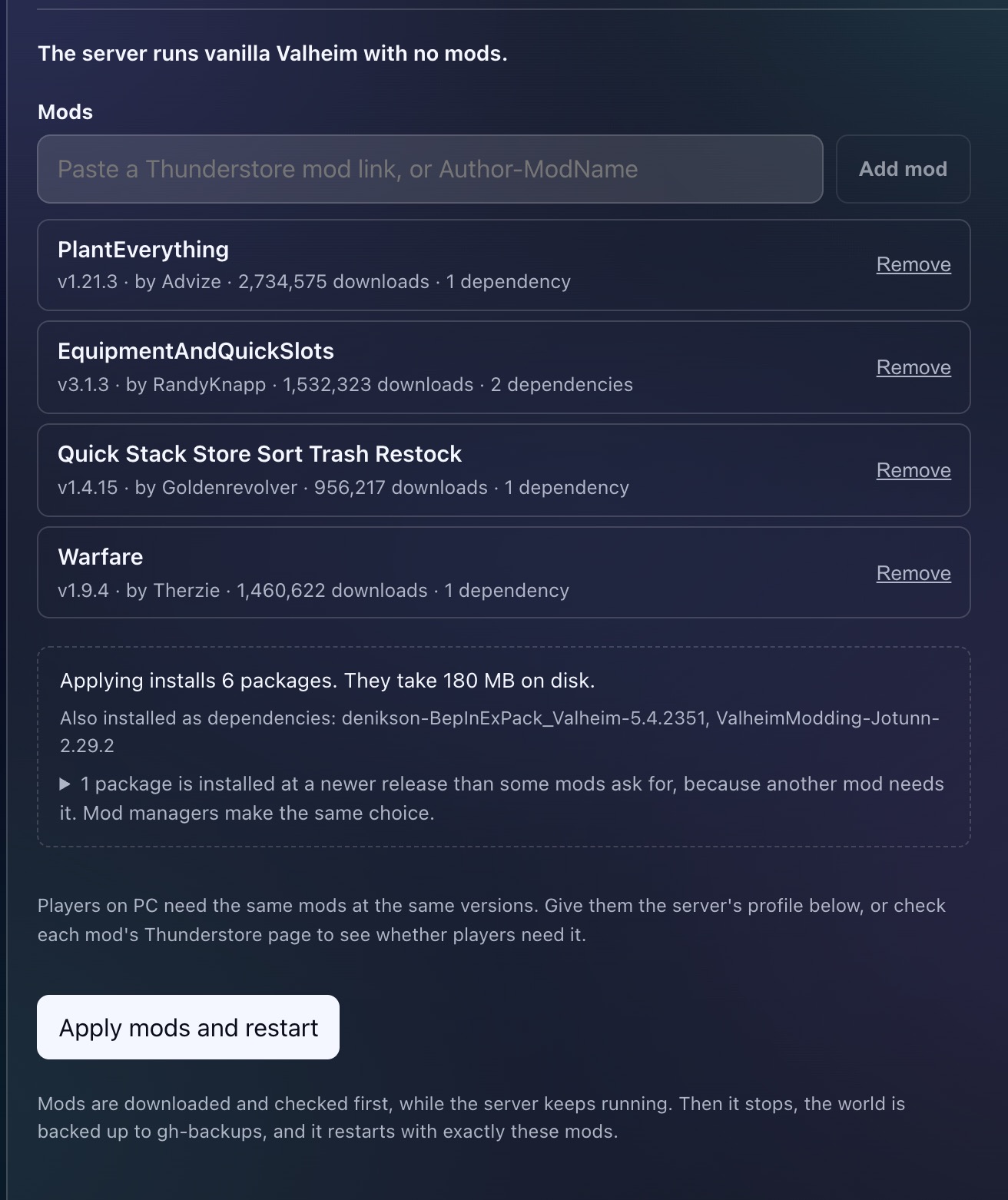
Under the list, a preview shows everything applying will install. Here four mods become six packages, because BepInEx and the Jotunn library come along as dependencies, and they take 180 MB on disk, almost all of it Therzie's Warfare. When two mods ask for different releases of a library, the preview says which release wins and why. It is the same choice r2modman makes on your PC.
When the list looks right, press Apply mods and restart. That one click does all of this:
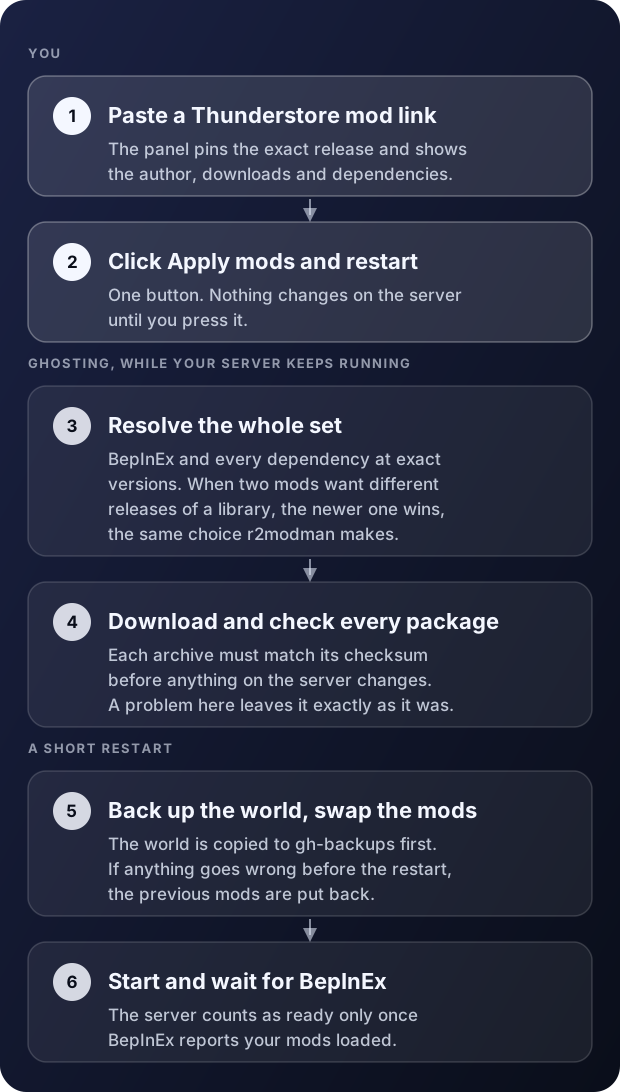
The slow part, fetching and checking every package, happens while your server keeps running. It only stops for the swap and the restart. The world is copied to a gh-backups folder first, and the three most recent copies are kept. If anything goes wrong before the restart, the previous mods go back in place and the server starts again as it was. And the server only counts as up once BepInEx reports your mods loaded, so a green status means the mods are really running, not just that a process started.
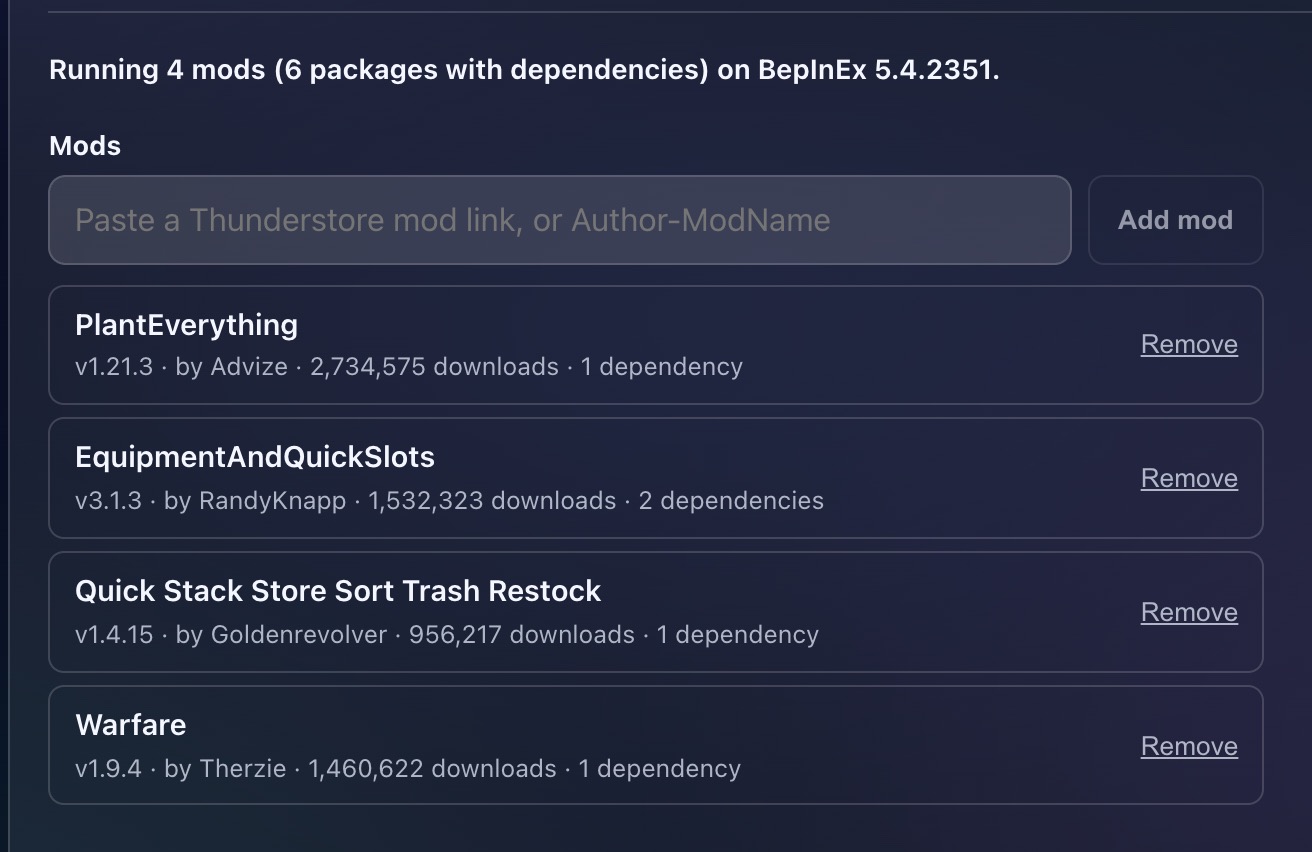
Vanilla or modded, your call
- Back to vanilla. Remove every mod and apply, and the server runs the official game again. A server that never had mods is plain vanilla Valheim.
- Updates when you want them. When a mod gets a new release, the panel offers an update button next to it. Nothing updates on its own, so a mod author's Tuesday release never surprises your Friday session.
- Mod settings. Mods write their settings to BepInEx/config the first time they run. Edit them in the Files tab and restart. Your edits stay put when you change or update mods later.
Bring your group's r2modman profile
Most groups already have a modded setup, usually an r2modman profile that one person looks after. You do not have to rebuild it mod by mod. In r2modman, choose Export profile, then As a code, and paste that code on the Mods tab, or choose an exported .r2z file. The panel reads the profile and shows what carries over before anything changes:
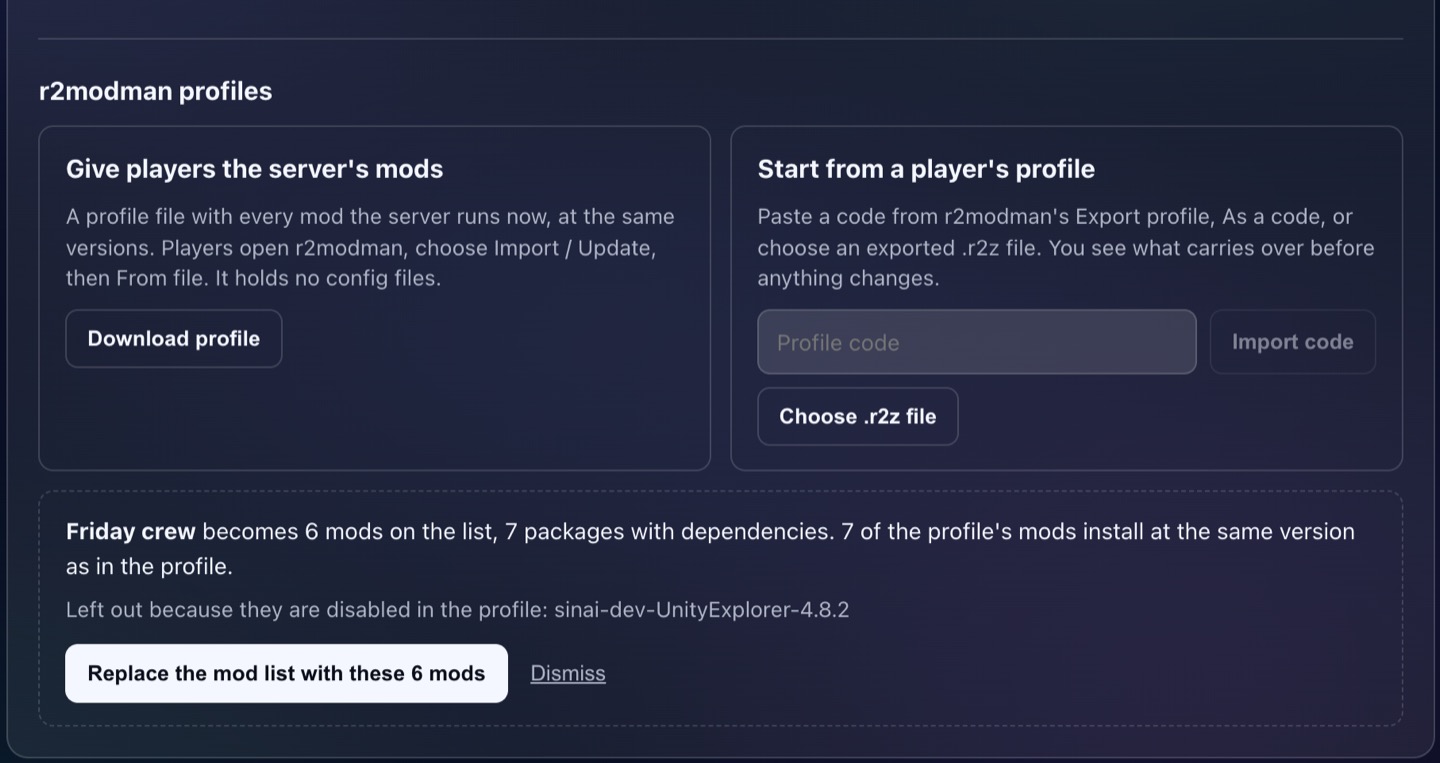
Disabled mods are left out, anything that cannot be installed is listed with the reason, and every mod lands at the release the profile has, unless another mod needs a newer one, which the panel points out. Libraries stay out of your list unless the profile runs a newer release than its mods ask for, so the list stays short. Nothing is saved until you press Replace the mod list, and then Apply mods and restart works as usual. The import takes the mod list only, so your config files stay on your PC.
It works the other way too. Download profile gives players a file with every mod the server runs, at exactly the server's versions. In r2modman they choose Import / Update, then From file, and they are set. The file holds no config files, because a server's configs can contain admin lists.
A few things worth knowing
- Crossplay. Console players cannot install mods, so on a crossplay server stick to mods that only need to run on the server.
- Size and memory. A server's mods can use up to a quarter of its plan's disk, and you can list up to 100 mods, with dependencies not counting toward that. Quality-of-life mods are tiny. Big content packs like Therzie's Warfare or Monstrum are where memory goes, so give those a bigger plan.
- Deprecated mods. When an author stops maintaining a mod, Thunderstore marks it deprecated and the panel shows a badge. It still installs, because plenty of groups still play with them, but it may break after a game update.
- Game updates. A big Valheim patch can break mods until their authors catch up. Every night our own checks install a mod on a fresh Valheim server and confirm BepInEx loads it, so we find out quickly when an update breaks the loader itself.
Want to see it before paying? Start a free 48-hour Valheim server trial. There is no card and no automatic renewal, subject to available trial capacity, and it is the same server with the same Mods tab. Paste your mods or your profile code, press Apply mods and restart, and play.