Factorio 2.1 Is Here: Will Your Old Factory Still Work?
Your Factorio 2.0 save can load in 2.1. The more interesting question is whether the factory inside it still works: the circuit that orders ingredients, the ship that supplies another planet, and the asteroid loop that makes your legendary materials.
Factorio 2.1 became stable on October 23, 2026. We downloaded the official Linux headless builds and ran disposable checks rather than stopping at the announcement. The checks found three things worth knowing: Quality modules were removed from a reprocessing crusher, an old mod list enabled the new Recycler component, and a mod still declaring 2.0 compatibility prevented server startup.
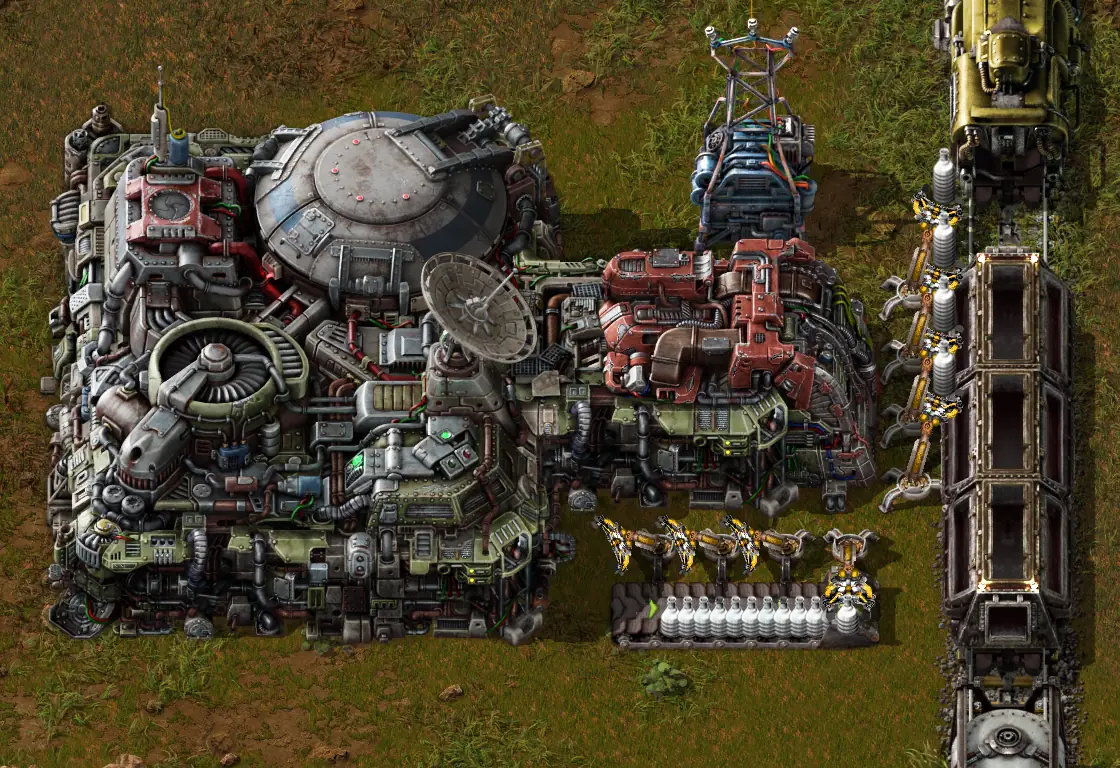
The new landing pad unloading bay in Wube's development screenshot. Image: Wube Software, Friday Facts #443. The test results below are from our own headless runs.
- Keep an untouched 2.0 save, mod folder and blueprint-library backup.
- Check the enabled mod set, including the new official
recyclercomponent. - Inspect circuits, asteroid reprocessing and one complete shipping route after loading.
- Coordinate the exact game version with every player.
What is actually new for an existing factory?
The most visible opportunity is rebuilding your interplanetary logistics. Rockets can carry mixed item types, and a landing pad unloading bay lets inserters take deliveries directly into belts, chests or trains. Platforms can also supply other platforms in orbit. Those changes are especially interesting if your group has a busy planetary distribution hub.
A useful first project is to pick one imported material and trace its journey from arrival to consumption. Would a short belt or train-loading connection replace an awkward robot transfer? Try a small branch first and measure whether the actual bottleneck improves. A prettier unloading station will not fix a shortage at the planet producing the material. Wube explains the mechanics and placement limits in its unloading-bay breakdown.
For ships, the new Import from Any option can simplify supplies such as ammunition and repair packs. Platform-to-platform delivery also needs the supplier's permission to provide items, so a receiving request alone is not the whole setup. The official space logistics explanation shows those controls. On a test copy, follow one replenishment request from supplier to recipient before replacing a working route.
What we checked in the real headless builds
These checks were run on October 27 using official Linux x64 headless packages: 2.0.77 and 2.1.23. We used isolated Ubuntu 24.04 Docker environments on an Apple Silicon Mac, with no customer saves or public server listing. These are configuration and migration checks, not hosting performance benchmarks or a full multiplayer playtest. The stable download was 2.1.23 when checked; later point releases can change the results.
- Explicit Base configuration: a fresh 2.1 world created successfully with Base enabled and Elevated Rails, Quality, Recycler and Space Age explicitly disabled.
- Old Base configuration without a Recycler entry: the same build
added
recycleras enabled and loaded it, although Space Age was disabled. - Space Age without Quality: a fresh world created successfully with Base, Elevated Rails, Recycler and Space Age enabled, and Quality explicitly disabled.
- A minimal mod declaring 2.0 support: startup failed with
Incompatible Factorio version (current: 2.1, required: 2.0). Our probe contained only its metadata, so this failure happened before any mod gameplay code. - A small 2.0.77 Space Age save loaded in 2.1.23: a crusher using metallic asteroid reprocessing went from two Quality module 3s in its module inventory to zero. Three identical modules stored in a nearby chest remained there. The map reached the running state and could be saved again despite that inventory change.
- The converted save opened with 2.0.77: the older binary refused
it with
Map version 2.1.23-2 cannot be loaded because it is higher than the game version (2.0.77-0).
You can read the test settings and log excerpts or use the plain-text upgrade checklist while working on your own server.
The easy-to-miss change: Recycler is now its own component
Factorio represents its official expansion components through the same mod system
as other mods. The 2.1.23 headless package includes a separate recycler
directory. Its space-age/info.json requires Recycler and Elevated Rails,
while Quality has a recommended dependency marker, +, rather than being
a hard requirement.
The separate Recycler component still requires Space Age ownership.
Its presence in the free headless server package does not give a Base-only client
the expansion. The package's own Recycler metadata sets expansion_required
to true.
This explains how a new Space Age game can omit Quality while keeping recycling.
It also creates a less obvious maintenance job for anyone who wrote a 2.0
mod-list.json by hand: omitting a newly bundled component is
different from explicitly disabling it. We reproduced the difference by
creating two fresh worlds, with and without the Recycler entry.
For a new, unmodded Base-only world, this complete list produced the intended component set in our 2.1.23 check:
{
  "mods": [
    { "name": "base", "enabled": true },
    { "name": "elevated-rails", "enabled": false },
    { "name": "quality", "enabled": false },
    { "name": "recycler", "enabled": false },
    { "name": "space-age", "enabled": false }
  ]
}
For a new Space Age world without Quality, enable Base, Elevated Rails, Recycler and Space Age, and leave Quality explicitly false. For the normal Space Age experience with Quality, enable all five.
These are starting configurations for new worlds. Do not paste them over an established server's mod list. That could remove third-party mods and their content. Back up the existing mod folder, inspect its actual enabled entries, and make any change in a test copy first. Likewise, the ability to start a new game without Quality is not evidence that removing Quality from a developed save is harmless.
Why a mod can block startup before the map loads
A mod's own version number and its supported Factorio version are separate fields.
A release called 3.4.0 might still target Factorio 2.0. Check the
factorio_version field in that release's info.json, or the
game-version label on its official mod-portal download.
Our minimal 2.0 probe was enough to stop 2.1.23 from creating a world. Factorio's mod metadata documentation confirms that compatibility is declared for one major series, such as 2.0 or 2.1. Renaming the ZIP or changing the label yourself does not verify that the mod's code, recipes and migrations work.
If an update fails, read the first named mod error in the console. Check that mod and its required dependencies for compatible releases before changing ports or buying more memory. If a required overhaul is not ready, keep a matching older server and client setup until it is. Deleting the overhaul simply to get a successful boot risks turning a compatibility problem into missing factory content.
A factory inspection route that catches more than a successful boot
Once the map opens, follow this route on a copy before scheduling the group's upgrade. The checks are suggestions for your factory, not a claim that we tested every design or mod combination.
1. Start with machines that both read and write circuit signals
The 2.1 circuit controls can direct inputs and outputs to different wire colours. Wube specifically identifies assembling machines and asteroid collectors as cases where removing the old signal self-subtraction can break 2.0 setups. That is a more useful search target than inspecting every combinator indiscriminately.
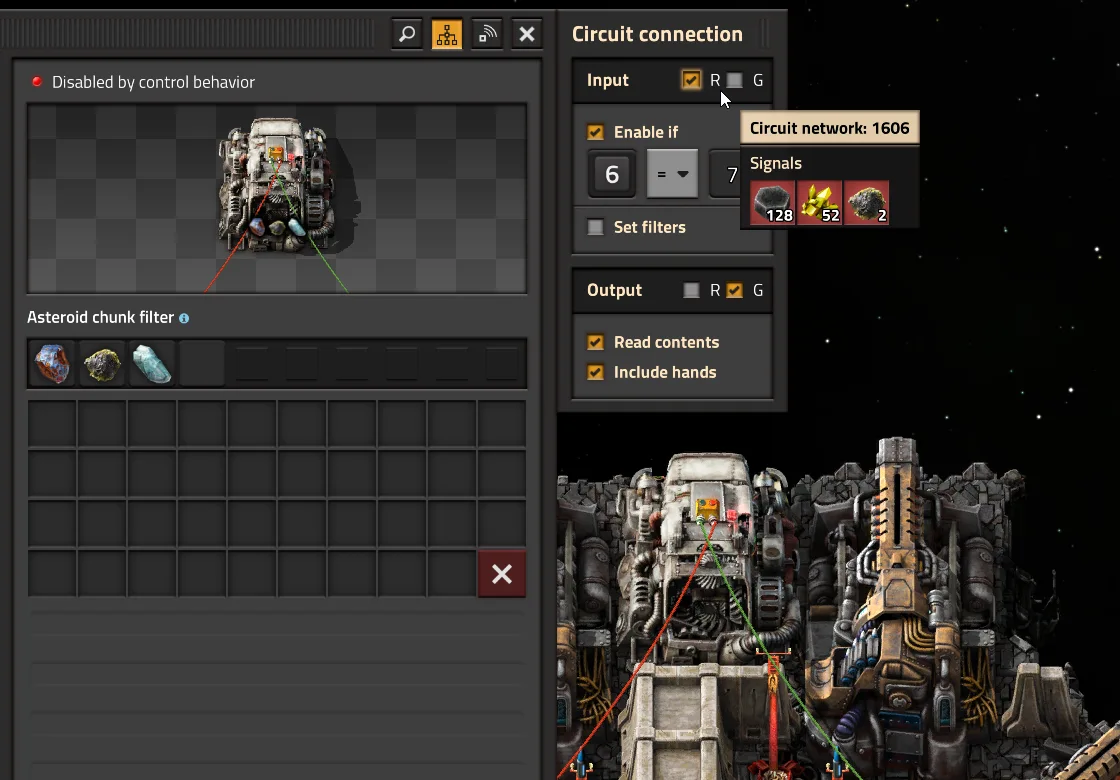
Wube's example separates incoming control signals on red from outgoing contents on green. Image: Wube Software, Friday Facts #443. Open the full-size circuit screenshot.
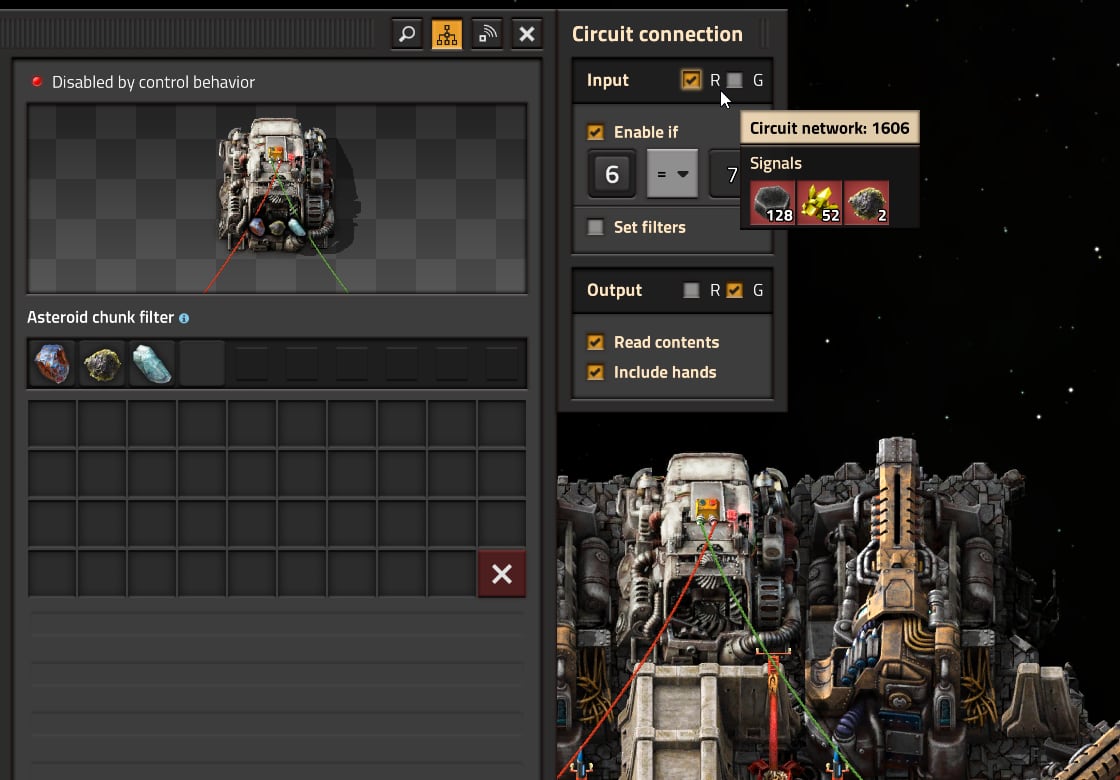
Pick a machine whose recipe, filter or operation is circuit-controlled. Identify the network carrying its instructions and the network carrying its measurements. Check the selected input and output colours, then follow the signals through the next machine. Sharing a colour may be intentional in your design; changing every machine to red input and green output is not a universal repair.
2. Visit asteroid reprocessing before the upgrade
Quality modules are no longer allowed in asteroid reprocessing recipes, ending the old asteroid quality loop. Check crushers using those recipes while you still have the original 2.0 environment available. Remove and store their Quality modules, save, and keep that prepared save alongside the untouched original. Plan a replacement source for any high-quality materials the loop supplied. Wube's Quality changes explain the recipe restriction.
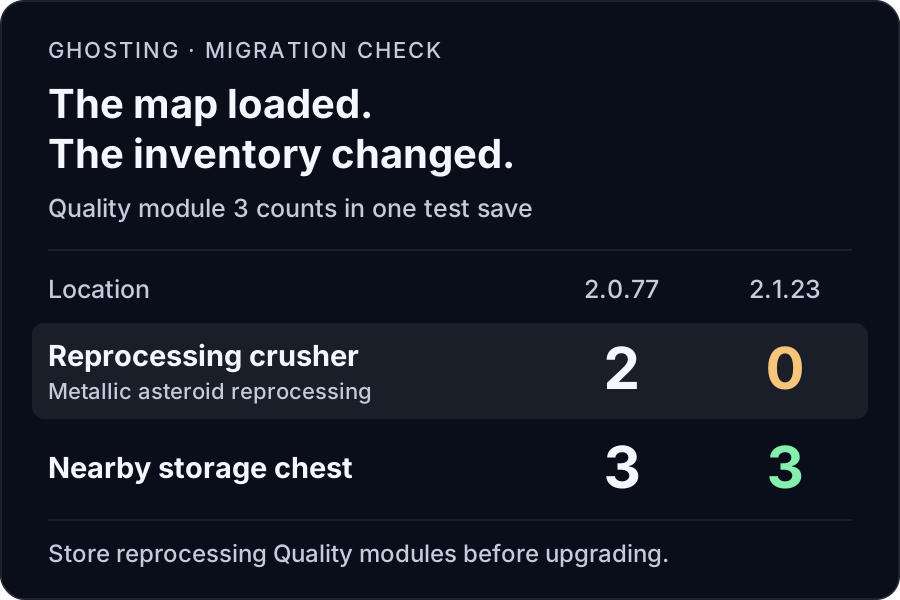
Our inventory measurements from a deliberately small test save, illustrated above. We created the fixture using console commands; this was not a naturally played factory or an exhaustive test of where removed items might go. It demonstrates why checking that a map loads is not enough.
After migration, check the actual recipe and module inventories, then follow the output to its consumers. A line that used to produce legendary materials can become a shortage elsewhere long before the whole factory looks broken.
3. Fly one complete supply route
Platform drag now depends on mass, and asteroid collision damage has changed. Those rules apply to existing ships too. Wube's October platform tuning report also shows why early experimental videos can mislead: damage to stationary platforms was reduced during testing, and the movement formula changed again in 2.1.21.
Record the ship's departure supplies, journey time, damage and arrival stock on a familiar route. Check the return journey too. Look for ammunition starvation, missed deliveries and supply requests that never complete. If an orbiting supplier should serve the ship, check both the source selection and its permission to provide items.
4. Watch a complete production cycle, including a save and reload
Choose something the group notices immediately: science reaching the labs, fuel reaching trains, or ammunition reaching the perimeter. Watch it replenish after use. Then save, stop cleanly, reload and repeat the critical check. A newly booted server and a factory that survives its normal operating cycle answer different questions.
Check perimeter supplies as well. Enemy expansion groups now scale with evolution, and early exploration no longer suppresses expansion near your factory. That does not tell us that every base needs a larger wall; it gives us a reason to inspect radar coverage, repair supplies and defensive logistics in the migrated world. See the enemy-expansion explanation.
How to update the multiplayer server without losing your way back
- Record the working setup. Note the exact game version, enabled mod versions and startup command. Save the current world, stop the server cleanly, and copy the save ZIP, complete mod folder including settings, and server configuration outside the live installation. Back up each player's blueprint library separately.
- Test a duplicate. Use a separate data directory and the target headless build. Give it a copy of the save and compatible mods. Leave the original files untouched, including after the test server shuts down and saves.
- Inspect the factory. Use the route above and have a player join with the matching client. A local headless check alone cannot prove multiplayer joining, your public network path or every mod interaction.
- Agree the version and maintenance window. Update the server and all clients together, including players who use a manually selected Steam branch.
- Update the runtime and check the selected save. Preserve the persistent data directory. Start once, read the loading log, join, and confirm the expected factory before reopening it to the whole group.
On a self-hosted Linux test installation, these documented options help you check the binary and select an exact save. The paths below are examples for your separate test copy:
./runtime/bin/x64/factorio --version

./runtime/bin/x64/factorio \
  --config ./data/config/config.ini \
  --server-settings ./data/config/server-settings.json \
  --start-server ./data/saves/upgrade-test.zip
Check the config's read-data and write-data paths first:
a second binary pointed at the live write-data directory is not an isolated test.
An explicit save path also removes the ambiguity of --start-server-load-latest
when several ZIPs exist. See the official
command-line reference
and our complete server setup guide.
Can you return to 2.0 afterward?
Wube says saves and blueprints updated to 2.1 cannot be downgraded to 2.0. Rollback therefore means restoring the untouched pre-update save with its matching mods, settings and older runtime, then using compatible clients. Replacing the binary while keeping the converted save is not a rollback. The stable-release announcement states that boundary explicitly.
For the blueprint backup, copy the relevant blueprint-storage*.dat
files from your client data directory while the game is closed. The dedicated server's
save backup does not replace a backup of a player's local blueprint library.
Updating a Factorio server on GHosting
GHosting's Factorio installer uses the official stable Linux headless package. Use the Overview tab's version check and Force update when your group is ready. The update replaces the runtime while keeping the separate data directory. That is not an off-host backup or a guarantee that a modded factory will survive every gameplay change: download your recovery files first.
Third-party Factorio mods are managed through Files or SFTP. Prepare compatible releases yourself; the update button does not resolve a mod pack for you. If you are moving a local factory at the same time, follow our save-import guide and confirm that the correct ZIP loads afterward.
Choose a Factorio server for your groupWube envisions 2.1 as its last major Factorio update, followed by long-term support for bugs, platforms and modding. That makes this a good time to revisit a shared factory, with a tested upgrade plan and a copy of the world you can return to. Read the developer's long-term plan.