Enshrouded 1.0 Server Update: Saves, Settings and Fixes
Enshrouded 1.0 does not require a server wipe. Your Early Access world can carry over, but its save data changes format when the new version loads it. Make a separate backup, update the dedicated server as well as every player's client, and check the world before the group returns.
The full release arrived on October 15, 2026. This guide covers the decisions that matter when your friends already have a base: keeping the save, updating safely, choosing the new settings and fixing a server that will not start or let players join. It also answers an important buying question: PC and PS5 do not have crossplay at the 1.0 launch.
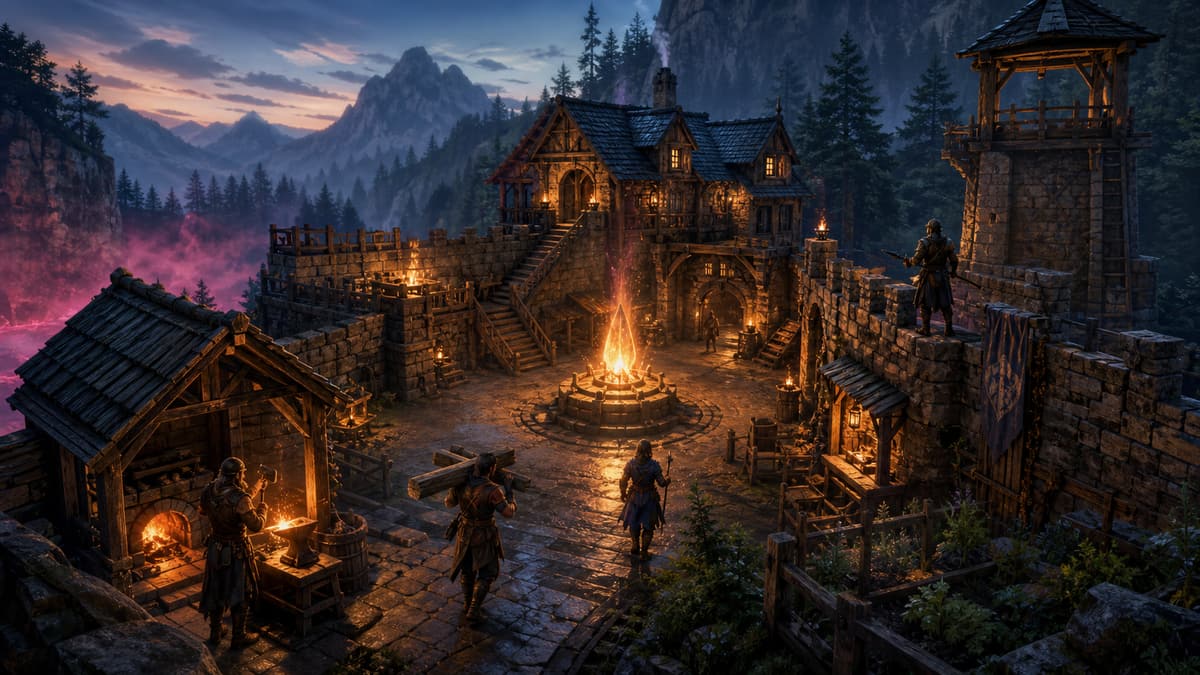
Keep Embervale online for your friends
Start an Enshrouded 1.0 PC server
Choose a server in Europe or North America. Installation, Friend and Admin passwords, settings, console and file access are ready in the panel. See the current price and choose pay once or optional automatic renewal.
Choose your Enshrouded serverPC hosting. Plans start at 8 GB RAM. Your first server is covered by our 72-hour refund policy.
- Keep your world or start fresh: the update does not require a wipe.
- Stop the server and copy the complete save directory and config before updating.
- Update the dedicated server separately from the game on your PC.
- Choose Custom difficulty to use the new Automatic enemy amount.
- Confirm your group plays on PC: PS5 crossplay is not available at launch.
Will Enshrouded 1.0 wipe my server world?
No mandatory wipe is part of the upgrade. Keen Games confirms that Early Access saves remain usable. When 1.0 first opens older save data, the game creates a backup and migrates it into its new format. The developer recommends starting again to experience the reworked early game, but that is a choice, not a requirement for keeping your existing base.
Decide as a group before changing anything. Keep the old world if the settlement and shared progress are the reason you play. Start fresh if everyone wants to discover the revised opening together. Either way, preserve the original save separately so a new-world experiment cannot become an accidental replacement.
World saves and character saves are different
The dedicated server stores the world. Each player's client stores their character. Backing up the server therefore protects the group's buildings and world progression; it does not back up everyone's character inventory or personal progression. Ask each player to protect their own save before the first 1.0 session.
The 1.0 changelog also announces a skill-tree reset for existing characters. Reassign the available skill points when you return. A reset skill tree by itself does not mean the server lost the world.
Can I downgrade after the save converts?
Do not treat a converted save as a rollback copy. Keep the untouched pre-update directory and its matching config away from the running server. If you need to return to the previous version, you also need compatible server binaries and client versions; replacing one world file is not a complete downgrade procedure.
How to update an Enshrouded dedicated server to 1.0
Updating Enshrouded in your own Steam library does not update the separate dedicated-server installation. Plan a short maintenance window and tell the group when to disconnect.
- Stop the server cleanly. Wait for the process to exit before copying files or running SteamCMD.
- Back up the complete save directory and config. Read saveDirectory in enshrouded_server.json rather than assuming that every host uses the default location. Copy the entire directory, including its supporting files, and the JSON config to a separate location.
- Update dedicated-server app 2278520. Use the same installation directory and platform as the existing server. Do not point SteamCMD at an empty second directory by accident.
- Start once and read the logs. Allow the first load to finish. Repeatedly killing the process during migration makes diagnosis harder.
- Join with an updated client. Check the expected base, storage and world progress, then verify that the Friend and Admin passwords grant the intended access.
- Keep the backup. Let the group play and complete a normal save before removing any recovery copies.
Update with SteamCMD on Windows
For an installation in C:\enshrouded-server, the update command is:
steamcmd +force_install_dir C:\enshrouded-server +login anonymous +app_update 2278520 validate +quitReplace the path with your real installation directory. If you installed through Steam's Tools library instead, update Enshrouded Dedicated Server there. The game and the server are separate library entries.
Update a Linux server running through Wine
The official dedicated server is still a Windows application. A Linux installation using Wine must request the Windows depot when updating:
steamcmd +@sSteamCmdForcePlatformType windows +@sSteamCmdForcePlatformBitness 64 +force_install_dir /srv/enshrouded +login anonymous +app_update 2278520 validate +quitUse your existing service account, installation directory, Wine prefix and startup command. Do not create a different Wine environment while trying to fix a version mismatch. Our Enshrouded dedicated-server installation guide covers a new Windows or Linux setup.
Update an Enshrouded server on GHosting
Open your server's Overview tab and find Version and updates. Use Check version to compare the installed Steam build with the current release, then Force update to install it. A normal restart alone does not download a new game build.
Before Steam validation, the managed update stops the server and archives its configured save directory and config under gh-backups/. It preserves the config around the download. These recovery archives remain on the same server, use your plan's disk space and stay until you remove them. Download a copy through SFTP if you need protection away from that machine. They are not an automatic restore service or a copy of each player's character.
Enshrouded 1.0 server settings: what should you change?
Keep a working configuration and change one group of values at a time. You do not need to replace the whole enshrouded_server.json with someone else's template to use 1.0.
Automatic enemy density
The new Automatic enemy amount scales encounters according to the players nearby. Players elsewhere in Embervale are not counted as part of that local party. It is useful when the same server sometimes has one explorer and sometimes a group travelling together.
On GHosting, open Settings, set Difficulty preset to Custom and choose Automatic under Enemy amount. Review the other custom values before using Save and restart. Choosing Custom makes those values relevant too; it is not simply an extra switch on top of the Hard or Relaxed preset.
For a manually configured server, the relevant part of the JSON is:
"gameSettingsPreset": "Custom",
"gameSettings": {
  "randomSpawnerAmount": "Automatic"
}
This is a fragment showing the keys, not a replacement config file. Merge the values into your existing sections and preserve your other settings.
Difficulty, resource rates and player slots
The panel offers Default, Relaxed, Hard, Survival and Custom. In Custom mode you can tune resource yield, experience, enemy and boss health and damage, durability and hunger. Player slots, text chat and voice chat have their own controls. Enshrouded supports up to 16 players, but that limit is not a promise that the smallest machine will comfortably run every 16-player world.
Friend and Admin passwords still matter
The new permission behavior described for player-hosted games does not replace dedicated-server roles. Dedicated servers still use userGroups and the password attached to each group. Share the Friend password for ordinary play and keep the Admin password for people who should have moderation and world-management access. GHosting generates separate passwords at creation; both are available to the owner in Settings.
For more advanced options, use the file manager carefully. The panel manages a selected set of settings rather than every value in the game. It merges its managed values into the existing config, preserving other valid options. Avoid editing the same managed value in both places: the next panel application will use the saved panel value.
Does Enshrouded 1.0 support PC and PS5 crossplay?
No cross-platform play is available at the 1.0 launch. Keen Games' launch FAQ says crossplay is being worked on, without a delivery estimate. Owning the same game on two platforms does not make their multiplayer services interchangeable.
GHosting's Enshrouded offering uses the PC dedicated server. It is not PS5 server hosting. Check which platform every friend uses before ordering, and do not buy a PC server expecting a password or port change to let a PlayStation client join.
Enshrouded server not working after the 1.0 update?
Version mismatch or a disabled Join button
Update both sides: the dedicated server and each player's client. Confirm that SteamCMD updated the installation your service actually launches. An old service path can leave you downloading a fresh copy while the running process still uses the old one. On GHosting, compare Installed and Latest using Check version.
The server is not showing up in the list
Check the game's dedicated-server filters and search for the exact server name. Verify the public address and the configured queryPort. The official default is UDP 15637; hosted servers can use a different allocated port. Use the address and port shown in your panel rather than replacing them with a number from a self-hosting tutorial.
A server that works on your home network can still be unreachable from the internet. Check the host firewall, router forwarding and CGNAT before repeatedly reinstalling the game. Our Enshrouded server not showing up guide walks through those checks.
World settings cannot be edited
Keen's 1.0.0.2 hotfix on October 16 fixed a world-settings editing regression introduced by the previous hotfix. If you are on that early launch build, update before assuming the save or settings are damaged. This was a game-side issue; it is separate from whether your hosting panel successfully saved its form.
The server will not start after a config change
Read the first useful error in the console or log. A broken JSON comma, an invalid text option or a bad path can stop startup. Restore the last known working config and try again before touching the world. Keep the failed file for comparison. Deleting the save is not a sensible first response to a configuration error.
A character is missing after migration
The October 16 hotfix also addressed a migration crash involving corrupted character saves. Keen noted that affected characters could be left unmigrated while it worked on a repair. Character saves belong to each player's client, so replacing the dedicated server's world will not repair that particular problem. Preserve the player's original files and check newer official hotfix notes before attempting a recovery.
Can you move an existing Enshrouded world to a dedicated server?
Yes, but transferring a world and upgrading it are separate operations. First identify the source world's save directory and stop the source game or server. Keep an untouched copy, then transfer the complete relevant world data into the destination's configured save directory while the destination is stopped.
Check saveDirectory instead of relying on a filename from an old guide. If the server starts a new empty world, stop it and check the directory, file ownership and copied data before playing further. Do not overwrite your only original copy while investigating. Players keep their own character saves.
On GHosting you can use Files or SFTP for the transfer. Choose a new server and check its normal fresh startup before importing, so a transfer problem is easier to separate from an installation problem. Test the imported world's base and storage before the rest of the group joins.
How much RAM does an Enshrouded 1.0 server need?
Allow room for the game, active players and the operating environment. Keen's dedicated-server FAQ describes roughly 4.4 GB of physical RAM at idle, so a 1 or 2 GB plan is not a realistic starting point. World size, building activity and the number of players also affect the experience; RAM alone cannot compensate for an overloaded CPU.
GHosting's plans start at 8 GB RAM. Compare the available plans for your active group and leave headroom for a growing world. The purchase page shows the current price, region and total charge before you continue to payment.
Ready for your next session?
Give your group a persistent Embervale
Start a managed Enshrouded 1.0 PC server, then bring your friends or move your existing world. Change supported settings, check versions and manage files from the same panel.
See Enshrouded plans and choose a regionEurope and North America. Pay once or choose automatic renewal. Review the total before paying.
Sources and release checkpoint
Checked on October 20, 2026. Release-specific details come from Keen Games' October 13 launch FAQ, October 14 full changelog and October 16 hotfix notes. Configuration and save locations are documented in the official dedicated-server FAQ, server roles reference and gameplay settings reference. For a newer patch, check the current release rather than assuming a launch-week version remains the latest.